Mrrrr's Forum (VIEW ONLY)
Un forum care ofera solutii pentru unele probleme legate in general de PC. Pe langa solutii, aici puteti gasi si alte lucruri interesante // A forum that offers solutions to some PC related issues. Besides these, here you can find more interesting stuff.
|
Nou pe simpatie:
Kitana
 | Femeie
25 ani
Bucuresti
cauta Barbat
25 - 48 ani |
|
|
Mrrrr's Forum (VIEW ONLY)InregistrareLoginPozeNu sunteti logat. Lista Forumurilor Pe Tematici
|
| #1 |
|
|
nikos25 a scris:
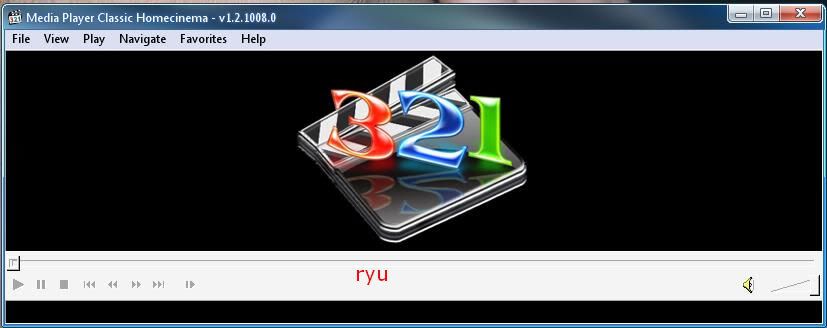
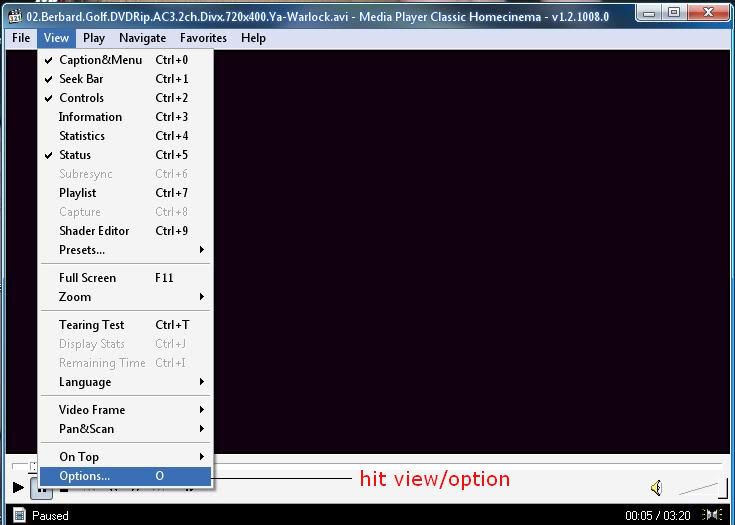
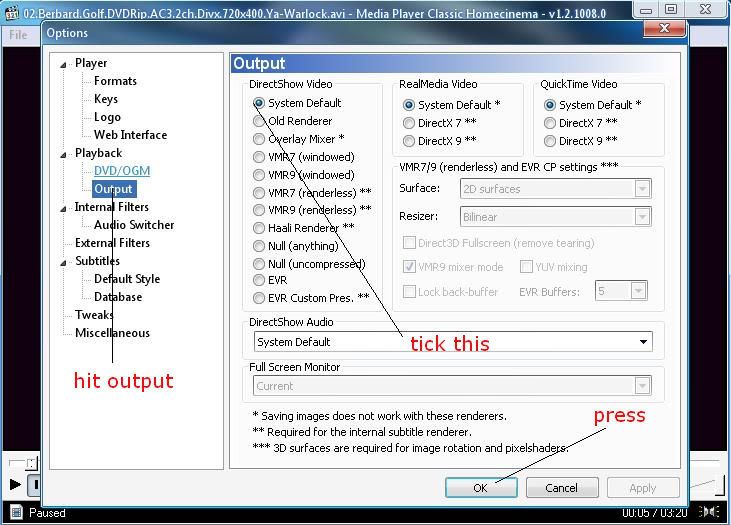
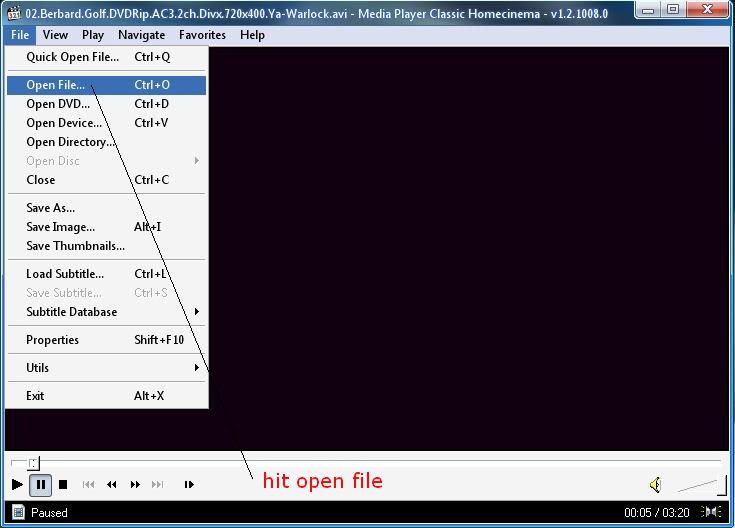
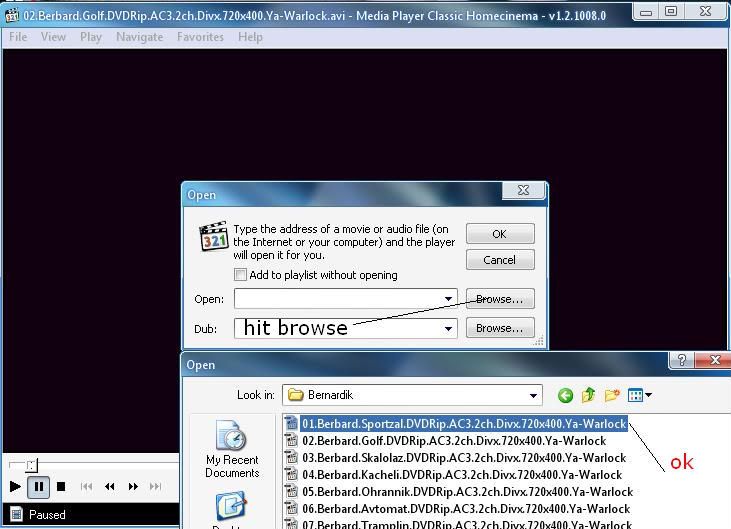
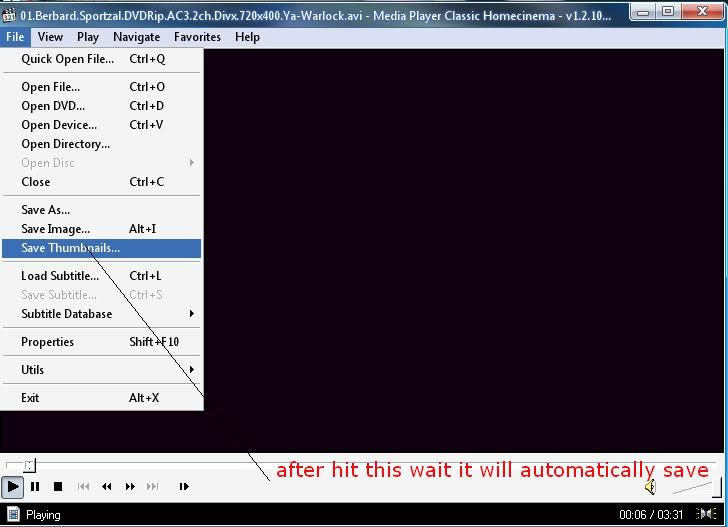
First u must have Media Player Classic:
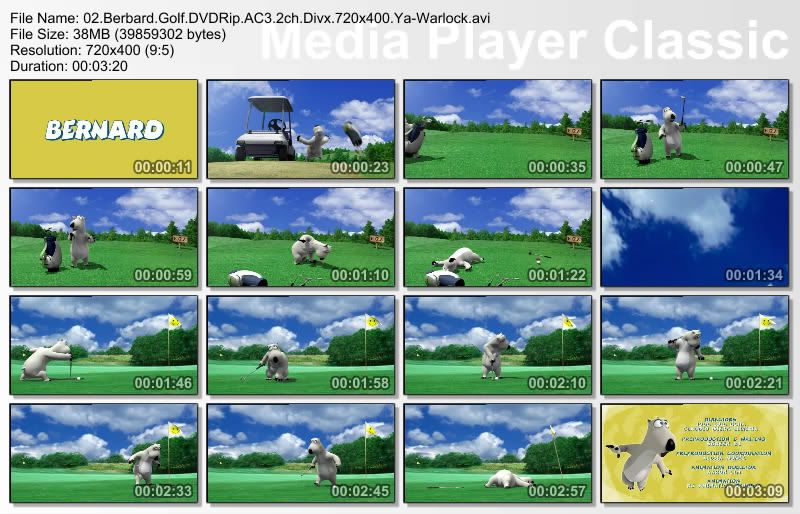
Et voila...the results:
|
_______________________________________

|
|
| |
|
| #2 |
|
|
locust a scris:
Se poate şi cu BSPlayer:
La opţiuni vă alegeţi câte frame-uri doriţi afişate şi la ce dimensiune:
Pentru generare, click dreapta şi selectaţi "generate thumbnails:
iar rezultatul este acesta:
Respect! |
_______________________________________
|
|
| |
|
| #3 |
|
|
plumber a scris:
Click dreapta pe KMPlayer
sau
iar apoi aici se umbla la setări în funcţie de ce vreţi să obţineţi
Setarea este mai laborioasa decât la BSPlayer sau la Media Player Classic
Stima... |
_______________________________________
|
|
| |
|
| #4 |
|
|
In words:
Media Player Classic
1. Go to View -> Options
2. On the left pane select Output
3. On the right pane, for DirectShow Video select the "System Default" option.
4. Now open your movie
5. Go to File -> Save Thumbnails, then choose location of the resulting file
BSPlayer
1. Go to Options
2. Pick Frame and thumbnail capture in the left pane
3. On the right pane, change details under Thumbnails
4. Now open your movie
5. Right click on video and choose "Generate Thumbnails..."
KMPlayer - setting is more difficult than for MPC or BSPlayer
1. Open your video
2. Right click on it and choose Capture -> Frame: Extract (or press CTRL+G)
3. Make your settings, then start.
Sursa si toate creditele pentru toate cele 3 postari de deasupra: http://romania-inedit.3xforum.ro/
_______________________________________
|
|
| |
|